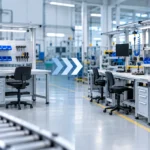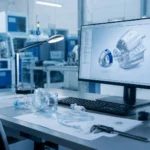

In technical environments, workstation design has a direct effect on how people work. Whether the setting is a lab, assembly area, inspection station, cleanroom, or manufacturing floor, employees spend hours reaching for tools, viewing screens, handling components, recording data, and completing precise tasks.
When a workstation is not designed around the person using it, small inefficiencies can build up quickly. Repeated reaching, awkward posture, poor lighting, limited leg clearance, or poorly placed equipment can create discomfort and slow down daily work.
The good news is that ergonomic improvements do not always require a complete redesign. Often, small design choices can make a meaningful difference in comfort, focus, consistency, and productivity.
Why Ergonomics Matters in Technical Workspaces
Technical work often requires accuracy, repetition, and attention to detail. Operators may need to handle delicate components, follow strict procedures, or perform the same movement many times throughout a shift.
A well-designed workstation helps reduce unnecessary strain by supporting natural movement. It keeps frequently used items within reach, positions equipment at comfortable heights, and gives users enough space to work efficiently.
For teams in industries such as biotech, aerospace, semiconductor, defense, and medical device manufacturing, ergonomics is not just about comfort. It also supports quality. When users can work comfortably and consistently, they are better positioned to maintain focus and follow processes with fewer interruptions.
1. Adjustable Work Surface Height
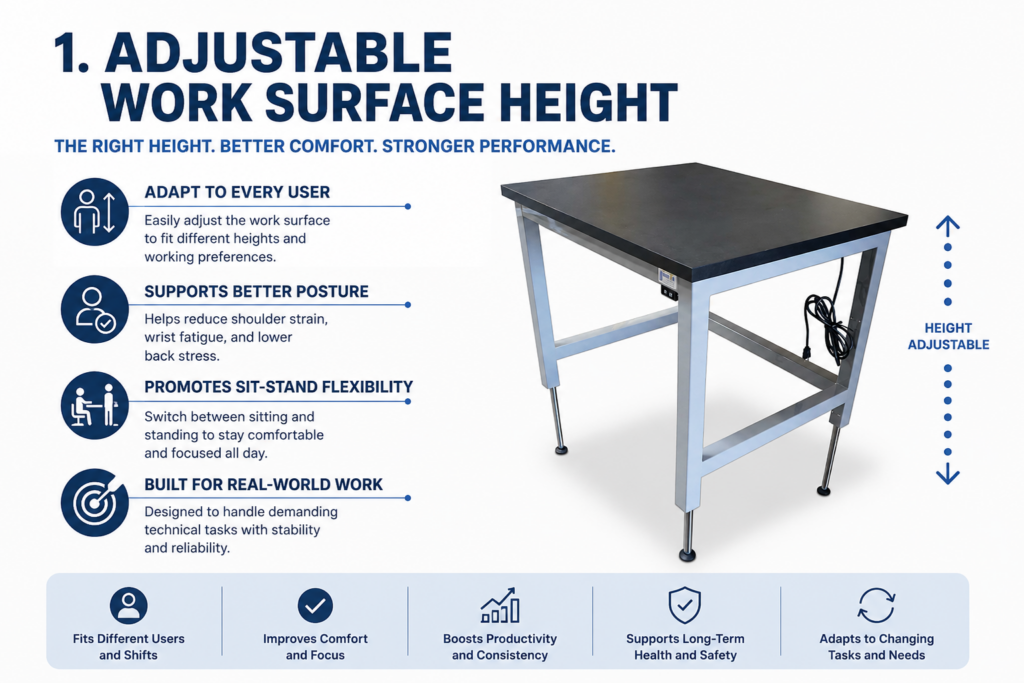
Work surface height is one of the most important ergonomic factors in a technical workstation.
If a bench is too high, users may raise their shoulders or bend their wrists while working. If it is too low, they may lean forward or place unnecessary strain on the back and neck. Over time, these small posture issues can affect comfort and performance.
Height-adjustable workstations allow the bench to be adapted to different users, tasks, and shift requirements. They can also support sit-stand flexibility, which is especially valuable in environments where employees move between detailed seated work and active standing tasks.
For teams with multiple operators using the same station, adjustability can make the workspace more practical and inclusive.
2. Proper Reach Zones
An ergonomic workstation should place tools, materials, and controls where they are easy to access.
Items used most often should be located within the primary reach zone, which is the area a user can access comfortably without stretching or twisting. Less frequently used items can be placed farther away, such as on overhead shelves, lower storage, or secondary surfaces.
This simple approach can reduce wasted motion and help maintain a smoother workflow. It can also support cleaner, more organized work habits by giving every item a logical location.
For technical teams, reach zones are especially important when working with small parts, test equipment, instruments, packaging materials, or documentation.
3. Monitor and Equipment Placement
Screens, monitors, microscopes, scanners, and other equipment should be positioned to reduce neck, shoulder, and eye strain.
A monitor that is too low can cause users to bend their neck downward throughout the day. A monitor that is too high may create tension in the neck and shoulders. In many cases, adjustable monitor arms or equipment mounts can help users position screens at a comfortable viewing height and distance.
The same idea applies to frequently used devices. Barcode scanners, keyboards, control panels, task lights, and testing instruments should be placed where they support the task instead of forcing the user to adapt to the equipment.
Good placement can improve both comfort and workflow, especially when users need to move between digital instructions, physical parts, and inspection steps.
4. Task Lighting That Supports Precision
Lighting plays a major role in ergonomic workstation design.
Insufficient lighting can cause eye strain and make detailed work more difficult. Overly bright or poorly positioned lighting can create glare, shadows, or visual fatigue. In technical environments, where accuracy is often essential, task lighting should be selected and placed carefully.
Adjustable task lights give users more control over their work area. They can help illuminate small components, labels, instruments, or inspection zones without affecting the entire room.
Lighting should also be considered in relation to monitors, reflective surfaces, and the type of work being performed. A workstation used for inspection may need a different lighting setup than one used for assembly, documentation, or packaging.
5. Comfortable Seating and Leg Clearance
Seating is sometimes treated as an afterthought, but it has a major impact on workstation ergonomics.
A chair or stool should support the user’s posture and match the height of the work surface. Footrests can help improve comfort when users sit at higher benches. For standing workstations, anti-fatigue mats may also help reduce discomfort during long shifts.
Leg clearance is just as important. Users need enough room to sit close to the work surface without twisting, reaching, or leaning. Storage, supports, and equipment should not block the space needed for comfortable positioning.
When seating, bench height, and clearance are planned together, the workstation becomes easier to use throughout the day.
6. Organized Storage That Reduces Unnecessary Motion
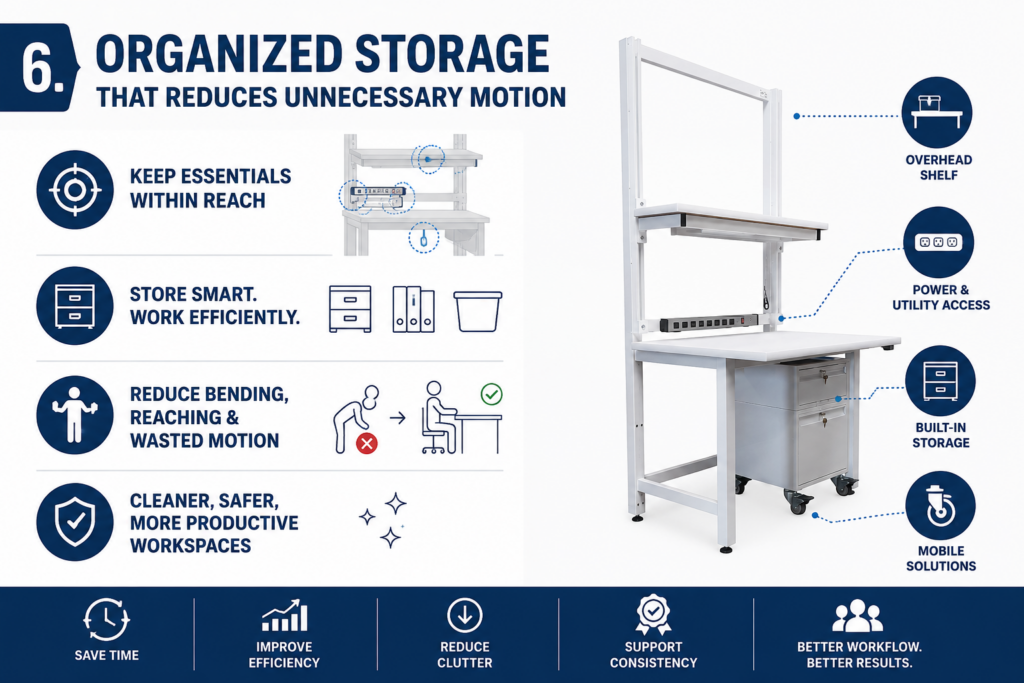
Storage design affects how often users need to reach, bend, turn, or leave the workstation.
Drawers, shelves, bins, pegboards, overhead storage, and mobile carts can all support ergonomic workflows when they are placed thoughtfully. The goal is to keep essential materials accessible without crowding the work surface.
For example, small tools and consumables may be best stored in drawers near the user. Larger or less frequently used items may fit better on lower shelves or nearby carts. Documentation, labels, or lightweight supplies may be placed overhead when easy visibility and access are important.
The right storage layout can help reduce clutter, improve process consistency, and make the workstation easier to maintain.
7. Cable and Utility Management
In technical workstations, cables, hoses, power supplies, and data connections can quickly become a source of clutter.
Poor cable management can limit movement, create obstacles, and make cleaning or maintenance more difficult. It can also interfere with equipment placement and reduce usable workspace.
Built-in cable management, power strips, utility channels, and routing options help keep the workstation organized. They also make it easier to adapt the station when equipment changes.
For labs, cleanrooms, and production environments, thoughtful utility management can support both ergonomics and operational reliability.
8. Flexibility for Changing Tasks
Many technical teams need workstations that can support more than one process. A bench may be used for assembly today, inspection tomorrow, and documentation later in the week.
Flexible workstation features can help teams adjust without starting from scratch. These may include adjustable shelves, modular accessories, movable monitor arms, tool rails, removable storage, and reconfigurable layouts.
This flexibility is especially useful for growing teams, changing product lines, pilot production, research environments, and specialized manufacturing processes.
A workstation that can adapt over time helps protect the initial investment while supporting the people who use it every day.
9. Surface Size and Workflow Space
A workstation should provide enough surface area for the task without encouraging clutter.
Too little space can force users to stack materials, place tools in awkward locations, or move items repeatedly. Too much unused space can make it harder to maintain an efficient reach zone.
The best surface size depends on the workflow. Teams should consider the size of parts, tools, documents, containers, fixtures, and equipment used during a typical task. They should also think about how materials enter and leave the workstation.
A well-planned work surface helps create a logical flow from one step to the next.
10. Designing Around the Real Process
The most effective ergonomic workstation is one that reflects how the work is actually performed.
This means looking beyond the bench itself. How does the operator move during the task? Which tools are used most often? What equipment needs power or data access? Are users sitting, standing, or switching between both? Is the work performed by one person or shared across shifts?
These details matter. A workstation that looks good on paper may not support the real workflow if it does not account for daily use. Choosing between standard and custom workstations often comes down to how closely the solution needs to match the team’s process, equipment, space, and long-term goals.
That is why collaboration is important. By understanding the process, constraints, and goals of each client, workstation design can become more practical, more precise, and easier to use.
Small Changes Can Lead to Better Workdays
Ergonomics is often built through a series of thoughtful decisions. A better monitor position, an adjustable work surface, improved lighting, cleaner cable routing, or more accessible storage can all make work easier and more consistent.
For technical teams, these details can support comfort, productivity, organization, and quality. They can also help create workspaces that are easier to adapt as needs change.
At Bench-Tek, ergonomic workstation design starts with understanding the task, the user, and the environment. From there, each workstation can be customized to support the way your team works today, while giving you flexibility for what comes next.
Key Takeaways
- Ergonomic workstation design helps support operator comfort, focus, consistency, and productivity.
- Small design choices, such as work surface height, lighting, storage placement, and monitor positioning, can make a meaningful difference in daily work.
- Adjustable workstations are useful for teams with multiple users, changing tasks, or sit-stand workflows.
- Frequently used tools, materials, and controls should be placed within easy reach to reduce unnecessary movement.
- Proper monitor, equipment, and task lighting placement can help reduce strain during detailed technical work.
- Comfortable seating, adequate leg clearance, and organized storage all contribute to a more practical and user-friendly workstation.
- Cable and utility management help keep technical workstations cleaner, safer, and easier to adapt.
- The best ergonomic workstation is designed around the real process, including the user, task, equipment, workflow, and environment.
- Modular workstation features make it easier to adjust layouts as teams, products, or processes change.
- Bench-Tek helps clients create customized workstations that support comfort, efficiency, and long-term flexibility.