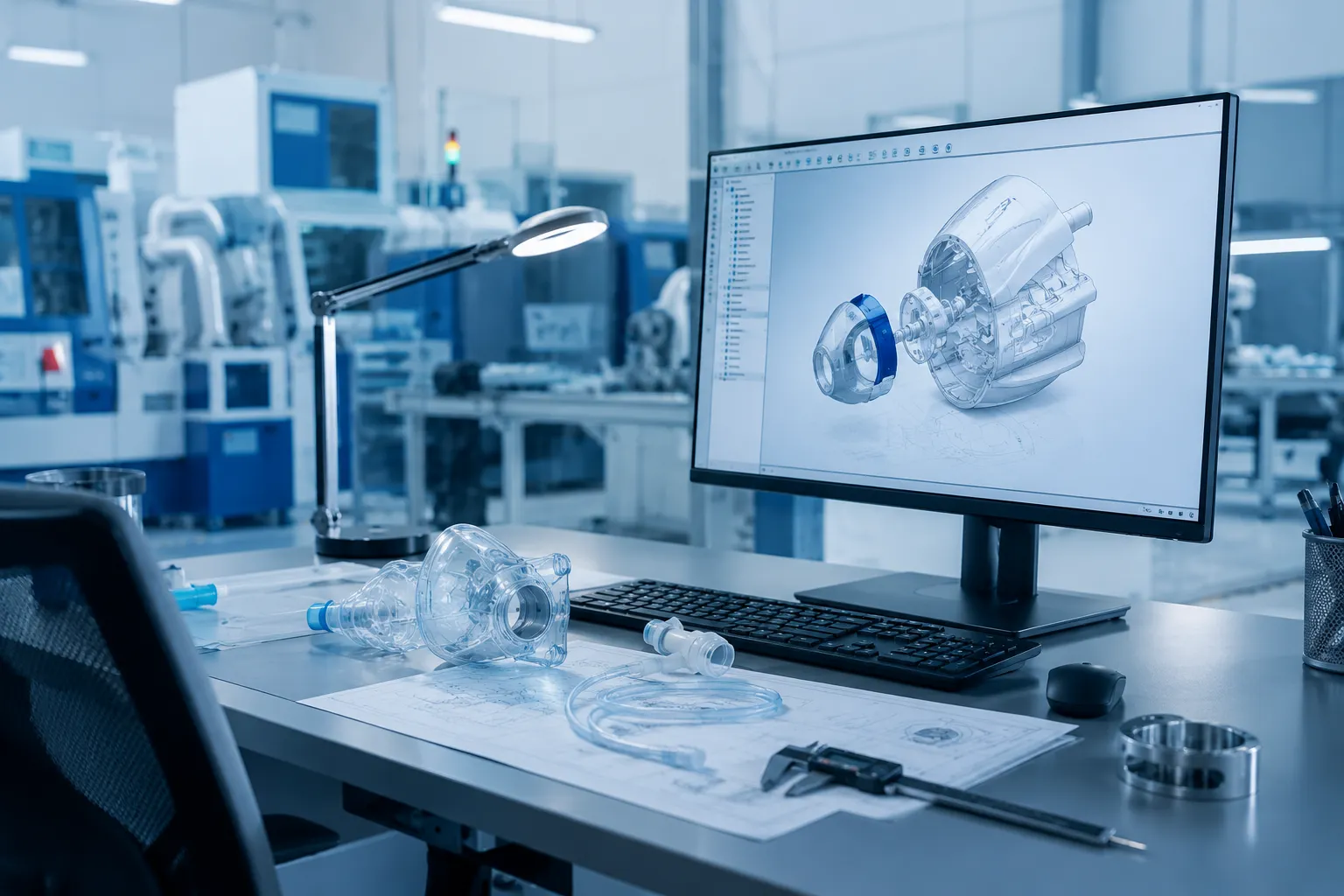
A medical device assembly operator may repeat the same task hundreds of times during a production shift, moving between components, tools, documentation, inspection equipment, and the product itself. If frequently used items are positioned too far away, lighting makes inspection difficult, or the workstation cannot accommodate required equipment, those small inefficiencies are repeated throughout the day.
That is why workstation specification should begin with the manufacturing process rather than a standard furniture configuration. The right workstation needs to support the operator, equipment, workflow, and production environment while providing enough flexibility to accommodate future changes.
Whether you are planning a new production area, adding capacity, or improving an existing line, the following considerations can help you specify a workstation that fits the realities of medical device manufacturing.
Start With the Process
Before selecting dimensions, materials, accessories, or configurations, document what will actually happen at the workstation. An assembly station may need organized access to components and hand tools, while an inspection station may require specialized lighting, magnification, monitors, and measurement equipment. A testing station could have an entirely different set of requirements, including space for instruments, power, data connections, and cable management.
Consider questions such as:
- What task will the operator perform?
- What tools and equipment will they use?
- What materials need to be within reach?
- How does the product move into and out of the station?
- Will operators sit, stand, or alternate between the two?
- Does the process require computers, monitors, scanners, or test equipment?
- Could the product or process change in the future?
Answering these questions establishes a practical foundation for the workstation specification. Instead of adapting the workflow to a predetermined layout, the workstation can be configured around the way the work needs to be performed.
Understand the Manufacturing Environment
Medical devices are produced in a range of manufacturing environments, and those conditions can directly affect workstation requirements. Depending on the application and facility, considerations may include cleanability, corrosion resistance, particle control, ESD protection, or compatibility with a controlled environment.
These requirements should be defined early rather than assumed based on the industry alone. If a workstation will be installed in a cleanroom or another controlled production area, reviewing facility procedures, cleaning protocols, environmental requirements, and internal specifications before choosing materials can prevent unnecessary changes later in the project.
Choose the Right Worksurface
The worksurface has direct contact with tools, fixtures, equipment, components, and day-to-day manufacturing activity, so material selection should reflect the actual process. Cleaning procedures, chemical exposure, equipment loads, durability expectations, and ESD requirements can all influence which surface is appropriate.
There is no single worksurface material that fits every medical device manufacturing application. A general assembly station may prioritize durability and easy maintenance, while a station handling static-sensitive electronic components may require a static-dissipative surface as part of the facility’s broader ESD control program. Matching the surface to the application helps avoid both under-specifying and paying for features the process does not require.
Design Around the Operator
For repetitive assembly, inspection, and testing work, workstation ergonomics can affect both operator comfort and how efficiently tasks are performed throughout a shift. Frequently used components and tools should be positioned within practical reach, while monitors, lighting, and work materials should be arranged to support the operator’s normal working position.
Height-adjustable workstations can provide additional flexibility when employees alternate between sitting and standing or when multiple operators use the same station. The goal is not simply to add ergonomic features, but to create a layout that reduces unnecessary reaching, repositioning, and movement during the actual task.
Plan for Tools, Components, and Equipment
A workstation rarely consists of only a frame and worksurface. Medical device manufacturing applications can involve parts bins, hand tools, computers, test instruments, scanners, documentation, fixtures, lighting, and other equipment that operators need throughout the production process.
Depending on the application, a workstation may incorporate:
- Shelving and overhead storage
- Parts bins and component storage
- Task lighting
- Monitor arms
- Keyboard and computer accessories
- Tool holders
- Drawers
- Power distribution
- Cable management
- Footrests
- Equipment shelves
- ESD accessories
The goal is not to maximize the number of accessories on each station. Instead, each component should have a purpose and location based on how frequently it is used, how the operator accesses it, and how it fits into the workflow. Planning these details during the initial specification can result in a cleaner and more organized station than adding accessories individually after installation.
Consider ESD Requirements Early
Medical devices that contain sensitive electronic components may require electrostatic discharge controls during manufacturing. When that applies, ESD requirements can influence more than the worksurface and may affect grounding provisions, accessories, storage, seating, and the overall workstation configuration.
Identifying these requirements early makes it easier to design the workstation as part of the manufacturer’s established ESD control program. It can also reduce the likelihood of late-stage changes, such as replacing a surface or adding grounding provisions after the workstation has already been configured.
Think About Cleaning and Maintenance
Cleaning and maintenance requirements can have a significant impact on workstation design, particularly in controlled manufacturing environments. Surface materials, joints, equipment placement, storage, and accessory configurations should be evaluated based on the facility’s established cleaning procedures and the needs of the process.
Maintenance should also be considered over the workstation’s expected service life. Components that experience frequent use should be durable and accessible, while modular accessories can make it easier to replace or reposition individual elements without disrupting the entire station. Designing for routine cleaning and maintenance from the beginning can make the workstation more practical to manage over time.
Account for Equipment Loads and Space
Medical device manufacturing stations may support everything from lightweight hand tools and small components to microscopes, computers, test instruments, fixtures, and specialized production equipment. Understanding the size, weight, and placement of that equipment is important when determining workstation dimensions, structural requirements, shelving, and available worksurface area.
Equipment also requires space beyond its physical footprint. Ventilation, cables, controls, maintenance access, and operator interaction can all require additional clearance. Reviewing these needs during specification helps prevent a situation where the equipment technically fits on the workstation but does not function well within the available space.
Plan for Change
Medical device manufacturing processes can evolve as new products are introduced, equipment is replaced, production volumes change, or manufacturing methods improve. A workstation designed only around today’s exact configuration may become restrictive when those changes occur.
A modular workstation provides more options for adapting the production area without replacing the entire station. Adjustable shelving, repositionable accessories, monitor mounts, storage, lighting, and other modular components can be reconfigured as requirements change. Building this flexibility into the initial specification can make future production changes easier to manage.
Use Customization Where It Solves a Real Problem
Customization does not necessarily mean designing an entirely unique workstation from the ground up. In many applications, the most practical solution starts with a proven modular platform and modifies the elements that directly affect the customer’s process.
That could mean adjusting workstation dimensions, selecting a different worksurface, changing storage locations, accommodating specialized equipment, incorporating ESD features, or positioning accessories around a specific sequence of tasks. The value of customization is in solving a defined production challenge, not adding complexity for its own sake.
A Practical Workstation Specification Checklist
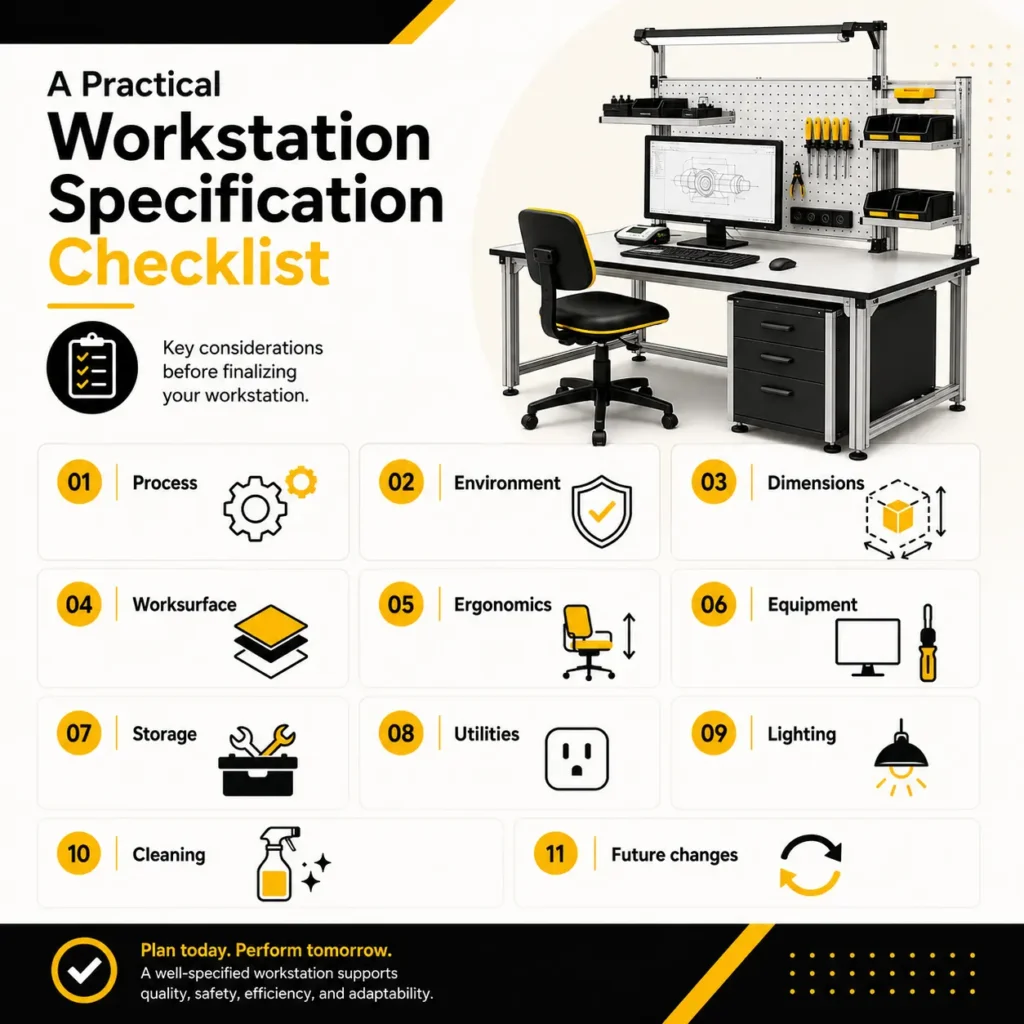
Before finalizing a workstation for medical device manufacturing, review the complete application rather than evaluating individual workstation features in isolation. The following checklist can help manufacturing, engineering, operations, and facility teams identify the requirements that should be addressed before a configuration is finalized:
- Process: What work will be performed at the station?
- Environment: Are there controlled-environment, cleanroom, or ESD requirements?
- Dimensions: How much working space does the process require?
- Worksurface: What material best fits cleaning, durability, ESD, and process needs?
- Ergonomics: Should the station be fixed-height or adjustable?
- Equipment: What tools, instruments, monitors, and fixtures need to be accommodated?
- Storage: Which components and tools need to remain within easy reach?
- Utilities: What power, data, grounding, or cable-management provisions are needed?
- Lighting: Does the task require dedicated or adjustable illumination?
- Cleaning: Can the station be cleaned and maintained according to facility procedures?
- Future changes: Can the workstation adapt if the product, equipment, or workflow changes?
Working through these questions early can also improve conversations with the workstation manufacturer. Instead of beginning with a list of furniture features, the discussion begins with the process requirements that the workstation needs to solve.
Building the Workstation Around the Process
A well-specified medical device manufacturing workstation brings together the process, operator, equipment, environment, and facility requirements in one practical configuration. Looking at these factors together helps manufacturers avoid compromises that may not become apparent until a workstation reaches the production floor.
Bench-Tek works collaboratively with customers to translate these requirements into workstation configurations that fit their applications. From dimensions and worksurfaces to storage, ergonomics, ESD considerations, and specialized accessories, the customization process is focused on creating a practical solution for today’s operation while preserving flexibility for future needs.
Key Takeaways
- Start with the manufacturing process before selecting workstation features.
- Match worksurfaces and materials to the actual environment, cleaning procedures, and ESD requirements.
- Design around operator reach, equipment placement, and day-to-day workflow.
- Account for utilities, storage, lighting, equipment loads, and maintenance during the initial specification.
- Use modularity to make future process and equipment changes easier to accommodate.
- Customize where it solves a specific production or workflow requirement.